
HP SitePrint: Cost, Specs & Real Jobsite Results from the Layout Robot
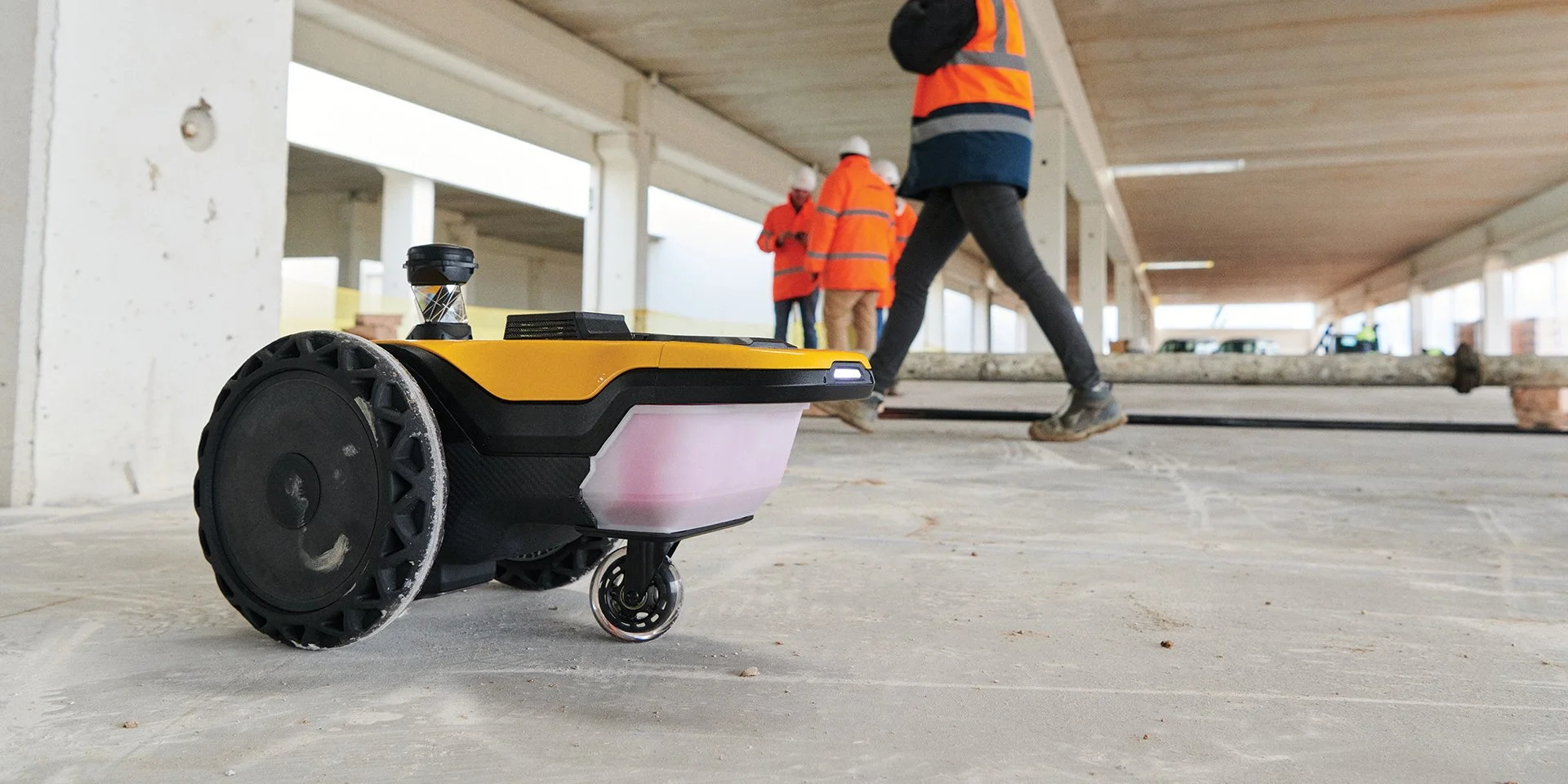
HP SitePrint Auto Layout Robot
Automation hits the Jobsite. One of the biggest changes happening right now is accessibility.
Robotics used to feel out of reach for anyone outside the largest contractors, mainly due to high upfront costs. HP model offers SitePrint through a pay-as-you-go approach. Instead of a massive capital investment, contractors can align costs directly with project usage. That makes robotic layout realistic for mid-sized teams and specialty trades, not just enterprise builders. The result is more projects gaining access to precision tools that were previously off-limits.
From CAD to Concrete, Seamlessly
At its core, SitePrint is about accuracy and consistency. Layout starts in the office, where VDC teams export 2D CAD files. On-site, the robot works in coordination with a robotic total station to establish its exact position.
Once running, SitePrint prints lines, arcs, points, and text directly onto the slab with accuracy down to about one eighth of an inch, and even tighter in controlled conditions. Unlike traditional layout, which often happens in phases by trade, SitePrint can print multi-trade layouts in a single pass. Everyone on site is working from the same reference, which helps reduce clashes before they turn into rework.
Built for Real-World Conditions
Jobsites are messy, unpredictable environments, and early construction robots struggled with that reality. SitePrint is designed with rugged conditions in mind. Obstacle detection and edge awareness help it navigate around columns, debris, and floor openings without issue.
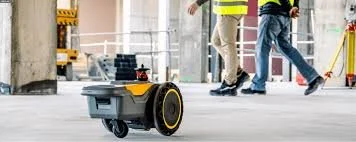
It also supports different ink types depending on surface conditions. Whether the slab is rough concrete, plywood, or a finished surface like epoxy or terrazzo, the markings are made to stay visible through active construction.
A Real Productivity Boost
Where SitePrint really shines is productivity. Field reports show that one operator using the robot can deliver several times the output of a traditional two-person layout crew. Layout that once took days can often be completed in hours.
Beyond speed, there’s a labor benefit. Automating repetitive layout tasks frees up skilled workers to focus on coordination, verification, and quality control. That not only helps address ongoing labor shortages, it also improves safety and raises the overall professionalism of layout work on site.
Robotic layout is no longer a future concept. With tools like HP SitePrint becoming easier to deploy and easier to justify financially, precision automation is quickly becoming part of the modern construction toolkit. The chalk line will always have its place, but the jobsite is clearly entering a more digital, more efficient era.
What HP SitePrint Costs
HP does not sell SitePrint as a six-figure capital purchase. The model is a pay-as-you-go usage rate with a bundled support contract: you pay for what the robot prints, so cost scales with the square footage of layout on the job. That structure is why mid-sized GCs and specialty trades can justify it on a single project instead of amortizing a machine across a fleet. HP’s published case studies report layout cost reductions of 34-86% versus manual methods and productivity gains of up to 10x, with the current VP3.0 software printing roughly 30% faster than earlier versions. For estimating purposes: price the robot per job like a subcontracted scope, not like equipment.
HP SitePrint Specs at a Glance
Layout accuracy of ±3/32″ (±2 mm) at working distances of 15-98 ft, and ±1/32″ (±0.8 mm) floor-deviation marking. It pairs with a robotic total station, supported models include Leica TS16, TS60, iCON iCR70/iCR80, Topcon LN-150, GT-600, GT-1200, and Trimble RTS 573 and S9. Multiple ink types cover rough concrete, plywood, and finished surfaces, and depth cameras handle obstacle detection and route adjustment. One operator runs the whole workflow from tablet to slab.
SitePrint vs a Manual Layout Crew
| HP SitePrint | Manual layout | |
|---|---|---|
| Crew | 1 operator | 2-person crew |
| Speed | Up to 10x output; full-site layouts ~3x faster in case studies | Baseline; phased by trade |
| Accuracy | ±3/32″ consistently, all day | Varies with fatigue and handoffs |
| Scope per pass | Multi-trade lines, arcs, points, and text in one pass | One trade at a time; chalk and string |
| Cost model | Pay-per-use; 34-86% reported layout cost reduction | Labor hours, rework risk |
SitePrint vs Dusty Robotics vs Rugged Robotics
Three names dominate robotic layout, and they sell three different things. HP SitePrint is pay-per-use hardware you operate, printing from 2D CAD. Dusty Robotics FieldPrinter is a platform you run in-house that prints the full BIM model, labels, tags, and QR codes, at 1/16″ accuracy. Rugged Robotics is layout-as-a-service: you send the model, their crew and robot print full-detail drawings on your slab. If you want lowest commitment, SitePrint’s usage pricing wins; if you want the model on the floor with your own team, Dusty; if you want to outsource layout entirely, Rugged.
FAQ: HP SitePrint
How much does HP SitePrint cost? HP prices it as a pay-as-you-go usage rate with a bundled support contract rather than a purchase price. Cost tracks the amount of layout printed, and HP case studies report 34-86% layout cost reductions versus manual crews.
How accurate is it? ±3/32″ (±2 mm) layout accuracy at 15-98 ft, with ±1/32″ floor-deviation marking under controlled setup.
Does it need a total station? Yes. SitePrint positions itself off a robotic total station and pauses when it loses line of sight. Leica, Topcon, and Trimble RTS models are supported.
What surfaces can it print on? Rough and bumpy concrete, plywood, and finished surfaces like epoxy or terrazzo, using inks matched to the surface.
Who runs it on site? A single operator, field reports put one operator at several times the output of a traditional two-person layout crew.
The robot prints the layout; someone still has to quantify it. Dimecraft is an iPad takeoff app built for GCs, subs, and estimators, measure walls, counts, and areas straight off the PDF set so layout scopes are bid right before a robot ever touches the slab. Try Dimecraft.
Keep reading
How to do a construction takeoff on iPad
Built Tough: Rugged Robotics and the Rise of Jobsite-Ready Robots
Surveying the Future: CIV Robotics is Making its Mark